
CP Dashboard Plus
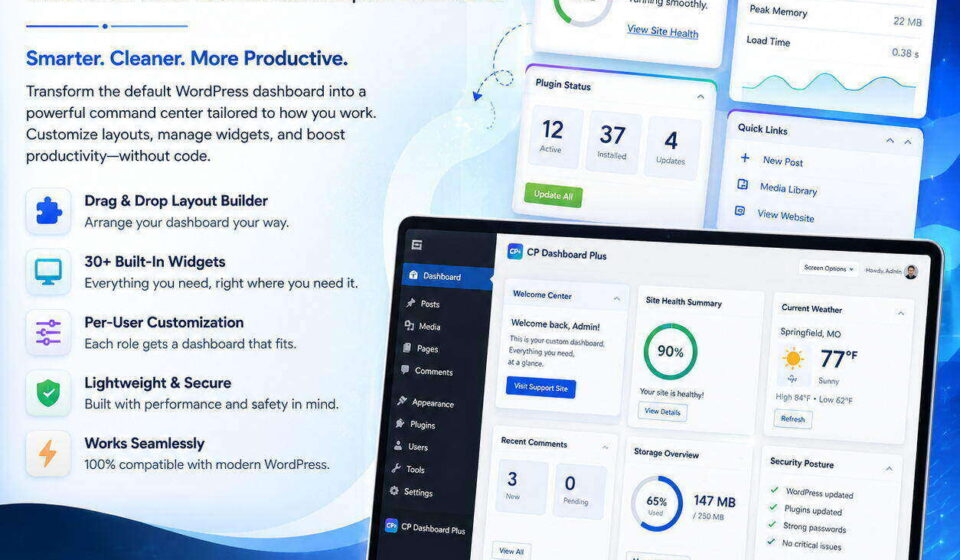
Transform your WordPress admin into an agency-grade command center with CP Dashboard Plus. Enjoy twenty modular productivity and diagnostic widgets, flexible one-to-four column layouts, granular role-based visibility, and automated operations monitoring. Lightweight, secure, and fast, deliver a tailored, beautifully branded client experience with zero database bloat, background caching, and total design control for every site.

⚡ Zero Bloat Architecture
🛡️ Agency & Enterprise Ready
Turn Your WordPress Admin Into a High-Performance Command Center 🚀
Transform the cluttered default WordPress dashboard into a modular, role-aware powerhouse with 20+ native productivity & diagnostic widgets, true 1–4 column layouts, and zero database bloat.
Instant Zip Download • 100% Native WordPress APIs • Lifetime Clean Code
💡 Why CP Dashboard Plus?
Default WordPress dashboards are cluttered with sales banners, unhelpful core news, and disorganized widgets that overwhelm clients and slow developers down. Most dashboard replacement plugins are bloated, heavy page-builder wrappers that drag down performance and pollute your database with custom tables.
👉 CP Dashboard Plus solves this natively. Built directly on WordPress Core APIs, user metadata, and intelligent WP-Cron background caching, it provides full agency client handoff controls, site health diagnostics, and developer productivity tools with zero drag on your server.
🌟 Packed With Everything Agencies & Developers Need
Operations & Health Suite
- ⚡ Operations Action Center: High-priority operational alerts and quick actions at a single glance.
- 🌐 Availability & Uptime Monitor: Cached front-page response checks with HTTP status code monitoring.
- 🔗 Bounded Link Health: Automatic background scanning of internal & external links with error tracking.
- 💾 Storage & Media Inventory: Real-time disk usage, uploads folder size, and database footprint via
WP_Filesystem. - ⏰ Scheduled Events Monitor: Keep tabs on WP-Cron jobs, overdue events, and background worker queues.
- ✉️ Email Health & Test Tool: Send authenticated test emails and monitor delivery states without leaving the dashboard.
- 🛡️ Security & Backup Posture: Audit SSL, debug flags, security constants, and integrate third-party backup statuses via clean hooks.
Agency & Client Management
- 👋 Branded Welcome Center: Greet clients with custom branding, agency logos, onboarding videos, and quick support links.
- 📢 Role-Targeted Announcements: Broadcast banners and alerts targeted strictly to Editors, Authors, or specific user tiers.
- 📋 Maintenance Checklists: Shared procedural checklists for pre-launch, monthly reviews, and content audits.
- 🎫 Support Center Widget: Direct one-click client access to your support ticket desk, email, or Slack channel.
- 👥 User Access Review: Audit administrator count, active logins, and inactive accounts to prevent security drift.
- 📑 Protected JSON Report Export: Generate and export comprehensive operational audit summaries in one click.
Developer Productivity Engine
- 📝 Private User Notes & Tasks: Auto-saving rich notes, scratchpads, and interactive to-do checklists isolated per admin user.
- 💻 Code Scratchpad: Store temporary code snippets, SQL queries, regex tests, and color palettes right where you work.
- ⚡ Quick Admin Links: Curated site-wide bookmarks for staging environments, analytics dashboards, and documentation.
- 🧮 Developer Calculator: Safe, client-side calculator for quick client quotes, aspect ratios, and dimension math.
- 🔍 Instant System Diagnostics: PHP version, memory limits, server software, active extensions, and MySQL stats at a glance.
- 🌤️ Cached Weather Widget: Geocoded weather forecasts via Open-Meteo with zero API keys required.
Visual Design & Grid Control
- 📐 True 1–4 Column Grid: Break free from WordPress core’s restrictive 2-column dashboard layout on desktop screens.
- 🔒 Enforced or Personal Modes: Lock an agency-standard column layout site-wide, or allow individual users their own choice.
- 🎭 4 Curated Design Presets: Switch instantly between Default, Compact, Rounded, and High-Contrast Modern themes.
- 🎨 Per-Widget Accent Colors: Color-code widgets with ClearPath Blue, Turquoise, Orange, and Deep Navy headers.
- 🎚️ Live Preview Customizer: Adjust corner radiuses, card elevations, header weights, and hover effects in real time.
- 🙈 Core Widget Management: Cleanly hide noisy default WordPress widgets (Events & News, Quick Draft, etc.) with one toggle.
⚖️ How CP Dashboard Plus Compares
| Feature | Default WordPress | Heavy Dashboard Plugins | 🚀 CP Dashboard Plus |
|---|---|---|---|
| Column Layouts | Restricted (1–2 max) | Complex Page Builder | ✅ True 1 to 4 Columns |
| Database Impact | Standard WP tables | Creates 5–10 heavy tables | ✅ 0 New Custom Tables |
| Role-Based Visibility | All or nothing | Requires Pro Addon | ✅ Granular Per-Role Access |
| Background Performance | Basic core checks | Frequent blocking queries | ✅ Asynchronous Hourly WP-Cron |
| Data Cleanliness | N/A | Leaves orphan data forever | ✅ Complete Opt-In Uninstaller |
⚙️ Technical Specifications & Requirements
❓ Frequently Asked Questions
⚡ Will CP Dashboard Plus slow down my admin area?
No! Performance was our top design criterion. Heavy tasks like external availability pings, bounded link checks, and media library storage calculations run strictly in the background via hourly WP-Cron or explicit manual refresh. When an admin loads the dashboard, widgets read instantly from cached values.
🔒 Are developer notes and tasks shared between all users?
Developer notes, task checklists, and code scratchpads are stored strictly per-user using secure WordPress user metadata. Only you can view and edit your personal notes. Shared widgets (like Announcements, Quick Links, and Maintenance Checklists) are site-wide.
🌤️ Does the weather widget require paid third-party API keys?
Not at all. The weather widget utilizes Open-Meteo’s open-source geocoding and forecast APIs, requiring zero API keys or billing setup. Weather data is safely cached in transients to prevent redundant network requests.
🧹 What happens if I deactivate or uninstall the plugin?
Deactivating leaves your preferences intact so you never lose work. If you choose to completely uninstall, you can enable the optional Data Lifecycle Cleanup toggle under settings to wipe all options and user meta automatically—leaving zero database clutter behind.
Ready to Upgrade Your WordPress Admin Experience? 🎯
Get instant access to the complete, production-ready cp-dashboard-plus.zip package. Easy 30-second installation with zero setup headaches.
Related Products

ClearPath Spinners
Add a smooth, professional loading overlay to your WordPress site whenever visitors navigate between pages. CP Spinners is a lightweight loading utility designed to display customizable, accessible frontend loaders without relying on heavy external libraries or jQuery. This plugin lets you choose from 32 unique spinner styles across 8 categories.
CP Admin Menu Styler Pro
Transform your WordPress dashboard with CP Admin Menu Styler Pro. Customize the admin menu with 100 professional preset themes, custom colors, fonts, gradients, menu organization tools, dark mode styles, and import/export options. Built by ClearPath Software Solutions, this lightweight plugin helps you create a cleaner, branded, and more enjoyable admin experience without adding dashboard bloat.

CP Breadcrumb Trail
CP Breadcrumb Trail adds intelligent, accessible, and schema-ready breadcrumb navigation to your WordPress website. Add a trail with the simple [[breadcrumb]] shortcode or enable automatic placement for selected content types. Choose from 25 professionally designed presets, customize colors and appearance, and give visitors a clearer path through your site—without editing theme files.

CP Dynamic Progress Bar
CP Dynamic Progress Bar adds a sleek, reading progress indicator to your WordPress posts, pages, and public custom post types. Give visitors a clear sense of how far they’ve scrolled with customizable colors, elegant presets, optional percentage labels, smooth transitions, and accessibility-friendly markup. Built for performance, designed for clarity, and crafted for cleaner WordPress experiences.
CP Login Designer
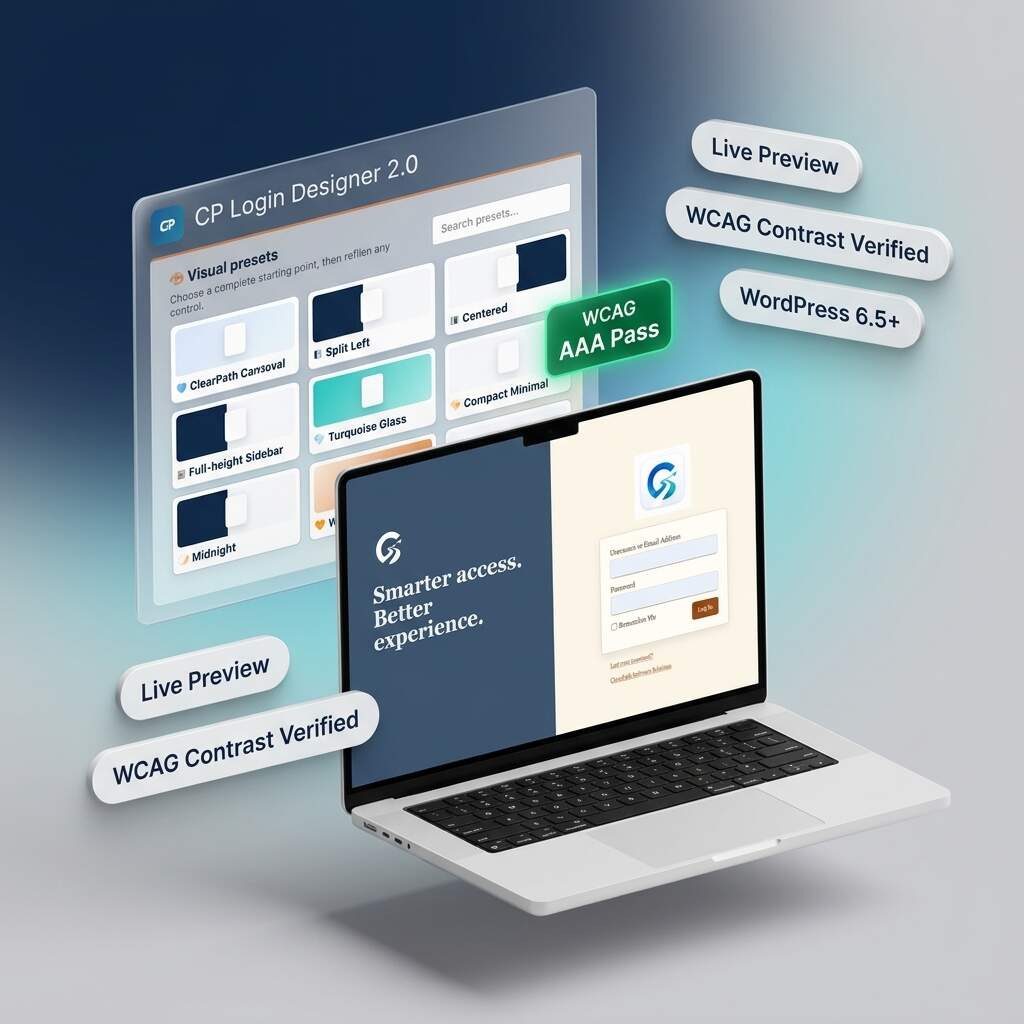
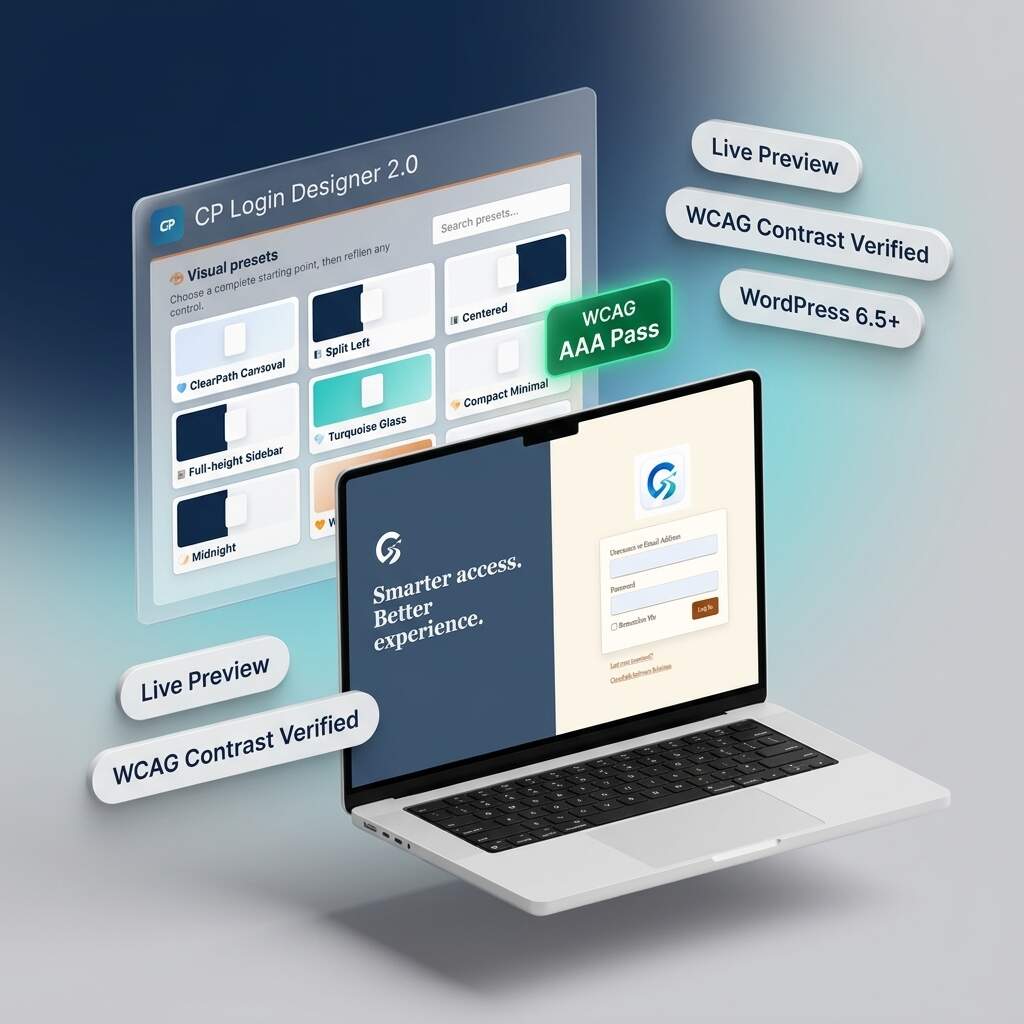
Transform generic WordPress login screens into stunning, agency-grade branded portals with CP Login Designer 2.0. Featuring nine curated presets, split-screen layouts, and real-time responsive previews, you can customize every detail safely. Built with an automated WCAG accessibility assistant and zero-bloat static CSS compilation, deliver fast, accessible, and polished client experiences without ever writing any code.

CP Performance Control
CP Performance Control gives WordPress administrators a simple, powerful dashboard for managing performance, cleanup, frontend optimization, security, and system behavior — without editing code or touching wp-config.php. Perfect for site owners, developers, agencies, and WordPress power users who want more control over performance or risky manual edits.